
How-to Guide
“Do you have an app that finds those figures in the map?”
“Do you do just draw as you ride? Freehand?”
“Is it safe to drive on Noida roads?”
I have had all kinds of questions, and I intend to give a step by step guide to the process here.
Part 1 : Doodle Discovery
- The toughest bit of the entire process is to pore over the map of your area and wait for inspiration to hit you ! Literally looking at lines, curves, zoom in and out, to try and find recognizable patterns – a face, an eye, legs, a snout etc. etc. etc. I have tried Google maps, Strava maps and Apple maps. Have settled with Google maps. Due to its traffic view, major roads get nicely highlighted and that helps. I have used iPad and phone so that I can look the map from various angles. But net net, there is no short cut for this step.
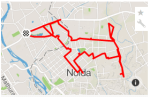
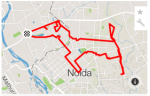
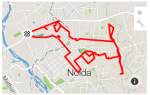
- Once a basic shape or an idea of a shape emerges, I switch to the “create new route” feature of Strava on the web (they do not have this feature on their app). On Strava I start creating the route. It helps as the app on its own gives you the roads that are available and hence you know where you can go and where you cannot. Here is the example of how the Hound route developed across multiple versions :
-
- Once I am happy with the doodle route, I save and then the route is available on my phone to follow in the ride.
Part 2 : The Ride
- I ride to the point closest to my home and then start the ride on Strava. I start following the route already created.
- While it sounds easy post that – and it actually is, there is always scope for improvisations. There would be cases of blocked roads due to construction, or a new route that you had missed on the map that will make the doodle better – etc.
- ‘Connecting the dots‘: A very useful trick. If you see the dog doodle above, you would find that the hind leg is incomplete. The actual rise however had it intact:
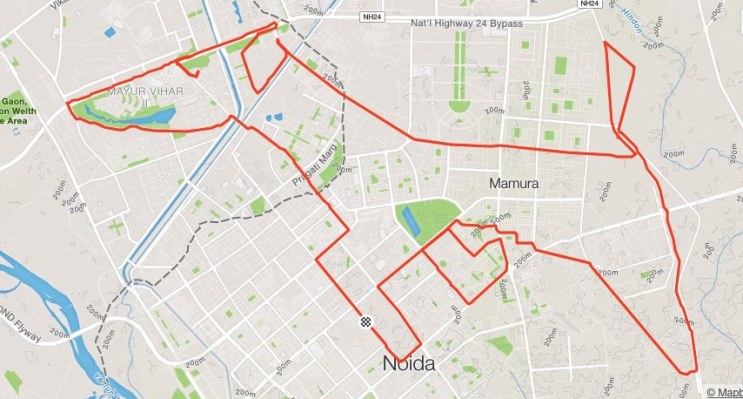 The reason why it is incomplete in Strava map is because there is no direct road connecting the bottom of the ‘paw’ to the point where the thigh meets the body. The solution – ride to point A (bottom of the paw), pause the Strava ride, ride to point B (point where the thigh meets the body – you can see the route in the strava map above – 3rd thumbnail), and restart the app. The two points are joined by a straight line. The app doesn’t record the actual ride between point A and point B. Hence most often the actual length of the ride you will need to do to complete a doodle will be higher than what Strava records and reports.
 - Once you are done following the map – the doodle is done !!
Important Tips:
Tips to cycle safely in Noida:
- The earlier the better. Avoid rush hour traffic. I prefer starting at 5:30 am.
- Always wear helmet, visible clothing, tail and front lights. Gloves are great protection for hands as typically they are the first to take the impact during an unfortunate fall.
- Eyewear helps with wind and dust.
- A side view mirror can help if one commutes during rush hour.
- I use a mask (or a scarf around my nose) during winters – helps both with the cold and with the pollution.
- While commuting to office, I search for streets and lanes that take me away from heavy traffic roads. I tested a couple of routes over the weekend before zeroing on my favourite route to office.
- One of the most important tip as per me would be – focus on the ride. I do not use headphones and stay very alert while riding. I do not jump lights or take sudden turns/brake or ride on wrong side of the road.
Tips to doodle better:
- Prepare well – spend time charting the course rather than believing in doing freehand. Does not work !
- Carry a power pack – You need the screen of your phone on – all the time so you can follow the charted course. That is quite a drain on the battery. If you are planning a ride that is upwards of 2-3 hours. Carry a power pack/chord.
- There is no eraser – This medium of art is completely unforgiving. You cannot erase a line. So any wrong turn – will show. The best workarounds are a) focus and do not take wrong turns, b) keep the doodle size big enough so the small errors do not stand out.


Recent Comments